
https://docs.dify.ai/zh/self-host/quick-start/docker-compose
根据官方文档:
一、部署并启动
1.1克隆 Dify
将 Dify 源代码克隆到本地机器。
shell>>>git clone --branch "$(curl -s https://api.github.com/repos/langgenius/dify/releases/latest | jq -r .tag_name)" https://github.com/langgenius/dify.git
1.2启动 Dify
导航到 Dify 源代码中的 docker 目录
shell>>>cd dify/docker
shell>>>cp .env.example .env
###记得修改密码
如果需要更换端口
shell>>>vim .env
# 原配置
NGINX_PORT=80
EXPOSE_NGINX_PORT=80

# 改成 8103
NGINX_PORT=8103
EXPOSE_NGINX_PORT=8103
###记得改时区
LOG_TZ=Asia/Shanghai
为了防止插件安装超时,请修改.env
# 使用清华 PyPI 镜像加速插件依赖安装
PIP_MIRROR_URL=https://pypi.tuna.tsinghua.edu.cn/simple

# 同时大幅延长插件初始化超时时间(单位:秒)
PLUGIN_PYTHON_ENV_INIT_TIMEOUT=720
docker compose构建与启动
shell>>>docker compose up -d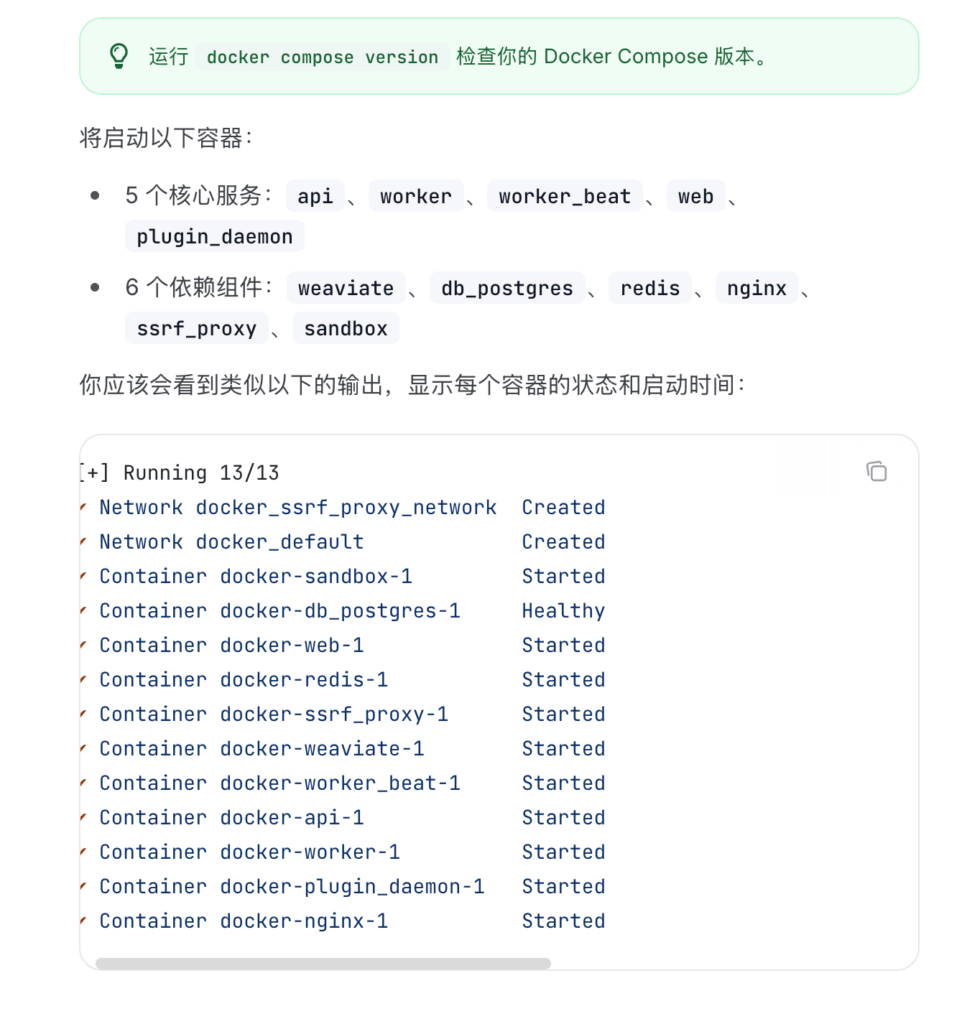
二、配置本地vllm启动的大模型
2.1 安装插件
进入“设置”–>“模型提供商”–>”OpenAI-API-compatible”
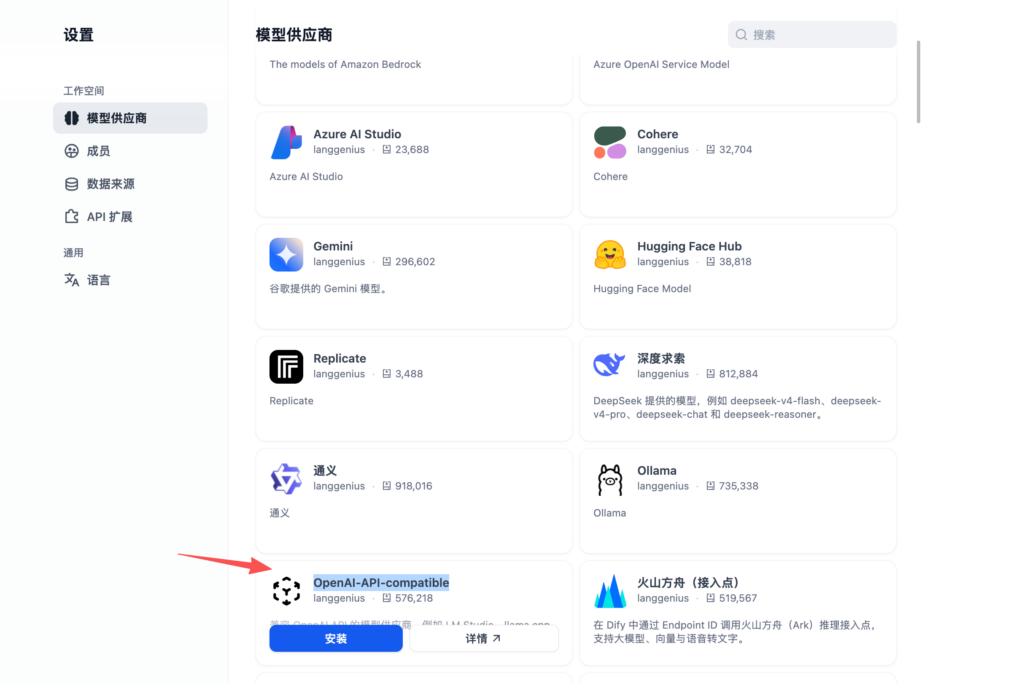
如果下载超时怎么办?
参考地址:https://blog.csdn.net/gzroy/article/details/149104207
shell>>>docker exec -it docker-plugin_daemon-1 /bin/bash
shell>>>cd /app/storage/cwd/langgenius/openai_api_compatible-0.0.47*
shell>>>pip install -r requirements.txt -i https://pypi.tuna.tsinghua.edu.cn/simple
完成上述步骤后,再安装插件,步骤不能乱。
重要的事情说三遍!!!先pip 再安装插件
重要的事情说三遍!!!先pip 再安装插件
重要的事情说三遍!!!先pip 再安装插件